Skip to guide
Panda StretchView in App Store

A guide for your work break

Desk stretches.
A little more ease.

Pause the work. Make room to move. Pick a stretch you can do comfortably, or follow a short Desk Reset routine in Panda Stretch.

See two stretches
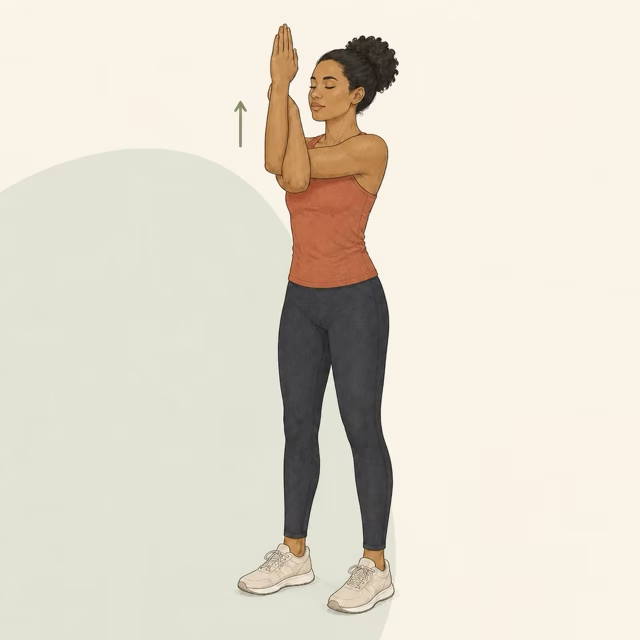
Eagle Arms Stretch demonstration from the Panda Stretch movement library
One movement from the guide below.

Start here

Make the break
fit your space.

  1. Check the position

    The two examples below use a standing setup in the app. Choose a movement that fits your space and balance.

  2. Read the whole guide

    Check the steps and safety cues before starting. A stretch should stay within a comfortable range.

  3. Leave time to reset

    Put the work aside while you move. Finish the movement, then choose whether to keep stretching or return to work.

From the movement library

Two stretches
to explore.

These are individual examples, not a prescribed routine. The full guides include form checks, muscle details and stop signals.

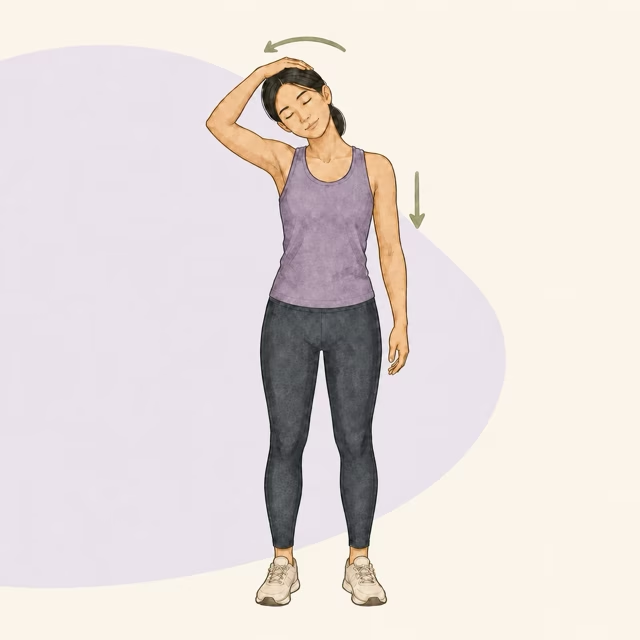
Lateral Neck Flexion Stretch demonstration

Standing · Trapezius / Levator Scapulae

Lateral Neck Flexion Stretch

  1. Sit or stand tall with your shoulders relaxed.
  2. Gently tilt your head to one side and add light pressure with the opposite hand.
  3. Hold for 20-30 seconds and repeat 2-3 rounds per side.

Take care: Do not pull aggressively or bounce.

Read the full movement guide
Eagle Arms Stretch demonstration

Standing · Rhomboids

Eagle Arms Stretch

  1. Raise your arms forward and cross one elbow over the other.
  2. Bring forearms together or palms toward each other.
  3. Lift elbows slightly and reach forward for 20-30 seconds.

Take care: Avoid forcing wrists if shoulder mobility is limited.

Read the full movement guide
Browse all six movement guides

Want to follow along?

Let Pan
keep you company.

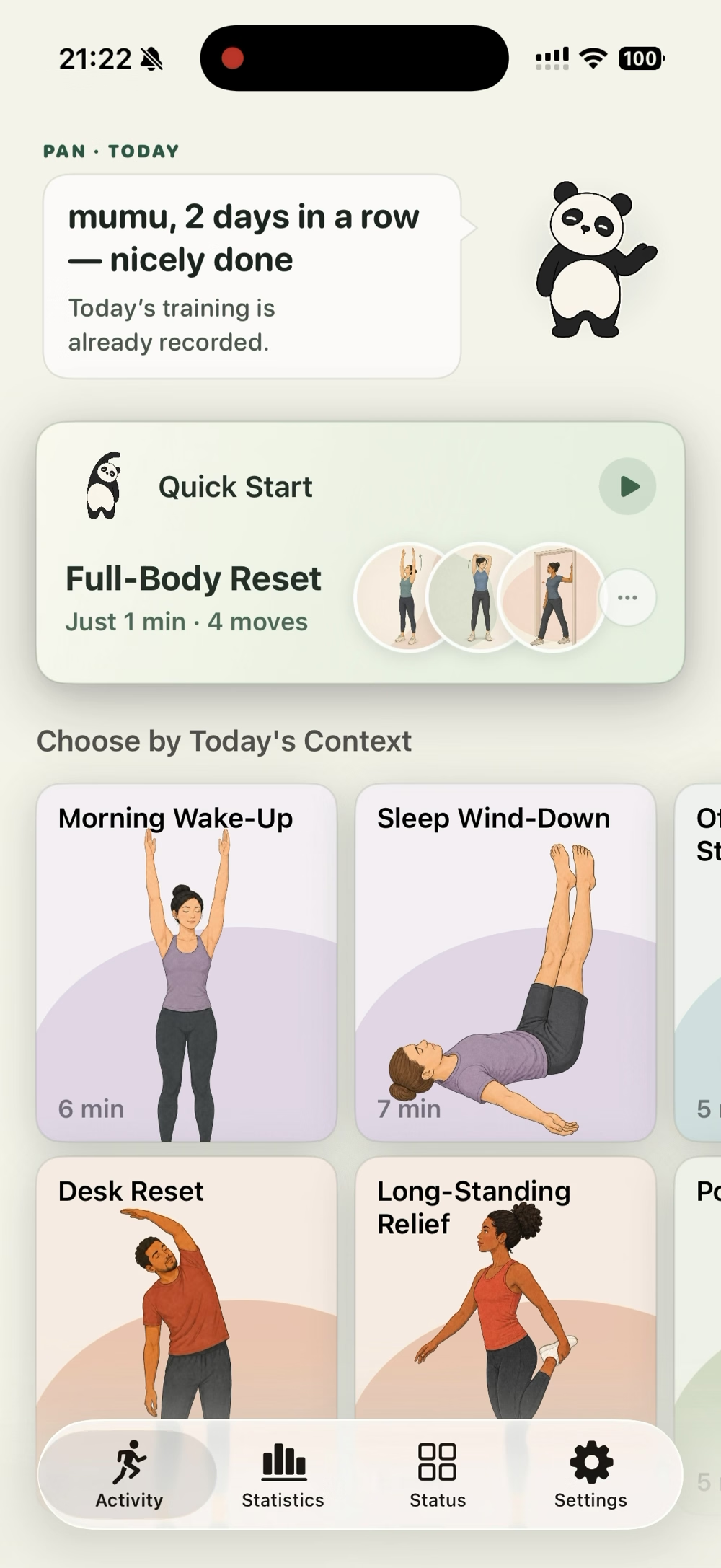
Panda Stretch is an iPhone stretching app. Pick Desk Reset for a work break, or choose Morning Wake-Up or Sleep Wind-Down for another part of your day.

  1. Open Panda Stretch and choose Desk Reset.
  2. Check the posture, equipment and target-area guidance shown in the app.
  3. Follow the demonstrations and short cues at a comfortable pace.

Your first session has six movements with 30 seconds of movement each. Allow extra time for preparation, transitions and check-ins.

Existing Panda Stretch app capture showing Desk Reset in the routine pickerPan, the Panda Stretch guide
The routine picker from the existing app capture. Your available routines and layout may differ.

A timer for your next break

Focus. Pause.
Choose your movement.

If you want your work timer to lead into a movement break, our other app, Shrimpodoro, pairs each focus session with a set of squats.

See how a Shrimpodoro break works

Shrimpodoro is a separate app by the same creator. A Panda Stretch routine does not unlock its next pomodoro.

Written with AI assistance from the Panda Stretch app's movement library and product guide. Movement instructions link to their full source guides. No clinical review is claimed.